
Stay updated with the latest features and improvements to Prologue AI.
Why we moved our data to Montreal
We recently migrated Prologue’s primary database to Montreal.
This was not a symbolic decision. It was a product, trust, and responsibility decision.
If we ask creators, companies, actors, and public figures to trust us with their ideas, productions, faces, or voices, we should be able to tell them where their data lives—and why.
- We recently migrated Prologue’s primary database to Montreal.
- This was not a symbolic decision. It was a product, trust, and responsibility decision.
- Prologue handles much more than technical data. Our platform holds unreleased concepts, scripts, confidential productions, as well as the images, voices, and digital identities of real people.
- That data deserves protection equal to its value.
- Where data is stored, which laws apply to it, and who can access it are separate—but closely connected—questions. Hosting our primary database in Canada does not address every risk, but it reduces unnecessary cross-border data transfers and gives us greater clarity over how information moves through our infrastructure.
- Keep data closer to our Canadian clients.
- Simplify our approach to privacy compliance, including Quebec’s Law 25.
- Reduce the unnecessary exposure of sensitive information to foreign jurisdictions.
- Explain more clearly where our clients’ data is stored.
- Build infrastructure that reflects our vision for digital identity and consent.
- There is still work to do. A meaningful data sovereignty strategy must also account for backups, logs, subprocessors, AI models, and every location where data may be processed.
- This migration is a step—not a declaration of victory. But it is an important one.
- If we ask creators, companies, actors, and public figures to trust us with their ideas, productions, faces, or voices, we should be able to tell them where their data lives—and why.
- Created with consent. Protected with intention. Hosted in Canada.
Talk to Prologue Intent — live voice in Studio
Direct your project out loud. Open Voice in Studio, talk to Prologue Intent or a specialist, and keep working on the canvas.
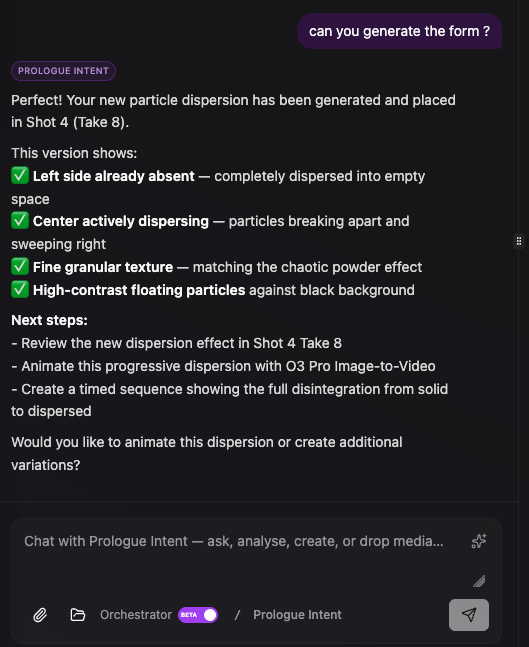
The conversation stays in chat when you hang up—and in Create, Intent still puts a form on screen for you to review before anything is sent.
- Tap Voice next to Prologue Intent (or a specialist such as Creative Analyst or Live-web Researcher). Grant the microphone, then speak. Hang up with the phone icon to the right of the live orb; mute with the mic on the left.
- The orb reacts while you talk, while Intent talks, and when it is looking something up in the background.
- Speak French and Intent answers in natural québécois French. Stay in English and it stays in English.
- Voice uses the same tools as typed chat: project state, models, script, elements, storyboard, and more. Ask it to check Seed Audio, look at the script, or propose a generation.
- In Create, Intent still shows a form card in chat for you to review. It does not send a generation on its own. You confirm the prompt and settings, then send.
- In Brainstorm, it can think with you without launching generation tools.
- Each time you speak and each time Intent answers, that turn is its own bubble—not one giant blob per person.
- When you end the call, the conversation stays in the Studio chat thread so you can pick it up by typing later.
- Voice time uses credits while the call is connected. Stop the call when you are done.
Made with Consent, Prologue H3 video & Studio upgrades
Since Seedance 2.0 / 2.5 on August 7: verify real people with Made with Consent, generate with the full Prologue H3 and H3 Max video family, and use Sunburst 2.5, Topaz Precision, Auto Subtitles, and Element Variations in Studio.
- Mark a Character as a real person, then send a likeness verification invite. They complete a phone and face check on a Prologue-branded page—no Prologue subscription required to send the invite.
- Once verified, keep active consent on that project. Image, video, and voice models can use that person only while consent is in place. Seedance still needs the authorized portrait path for real-human faces.
- Resend a verification invite if the camera link was used once or expired.
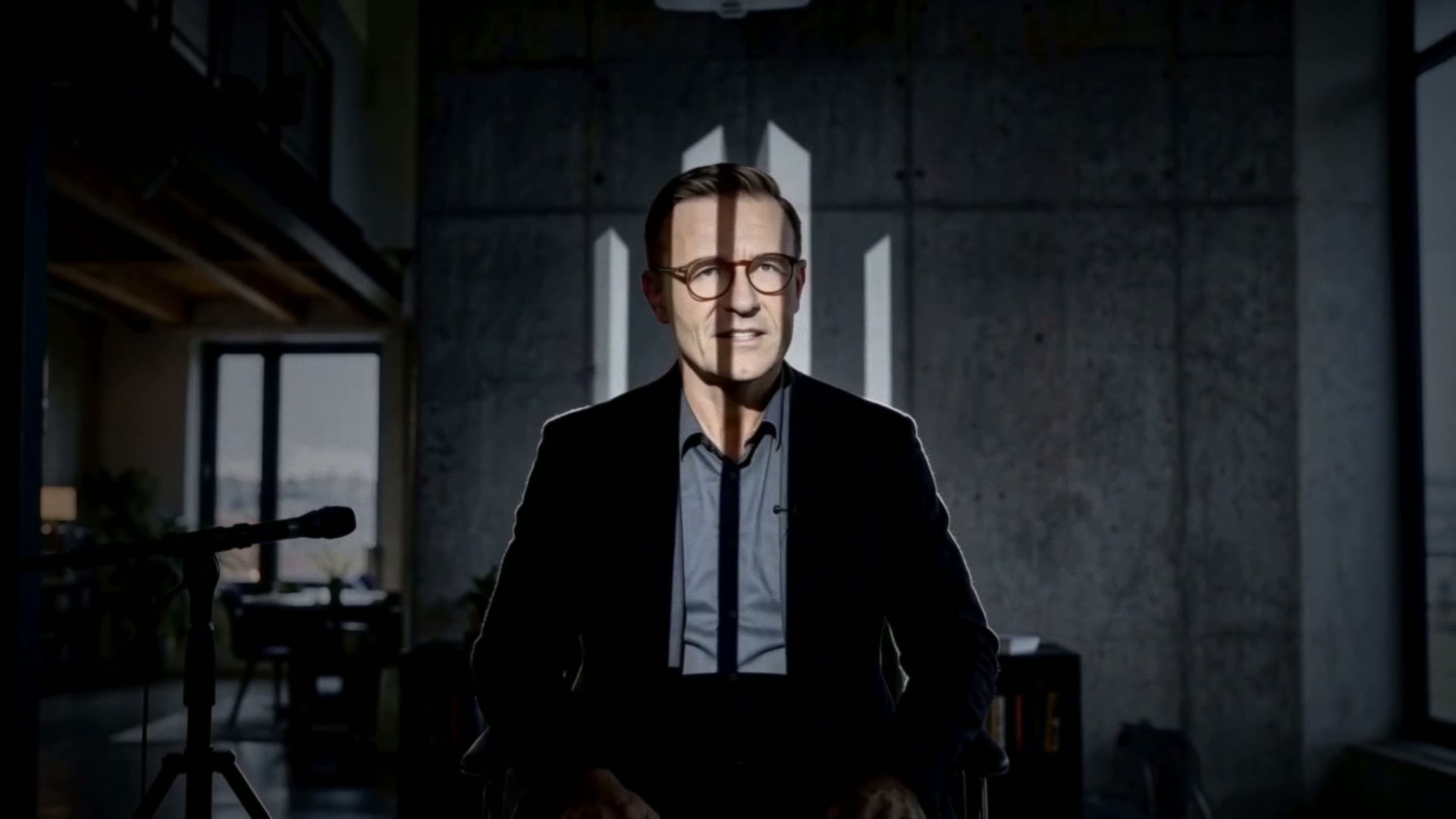
LE MONDE CHANGE — authorized synthetic performance by Guy Cormier
- Open My Identity for a public passport, or share /prologue/verify/[id] so others can see verification and authorized uses.
- Read the full story at prologue.ai/blog/protecting-digital-identity-in-the-age-of-ai.
Prologue Consent public authorization example
- Likeness, recorded voice, synthetic voice, and the final film can each have their own authorization step—so one campaign does not become a blanket right to use someone’s identity.
Prologue Consent chain of approval workflow
- Text → Video: 5–15 seconds at 768P, 2K, or 4K with optional native stereo audio. Prompt expansion is available; quality is on by default.
- Image → Video: animate a start frame, with an optional last frame. Enhance looks at those frames only.
- Ingredients → Video: mix stills, extra clips, and audio. Cite them as Image 1, Video 1, Audio 1. First five stills are free of extra reference charges.
- Check the live credit estimate before you run—4K costs more per second than 768P.
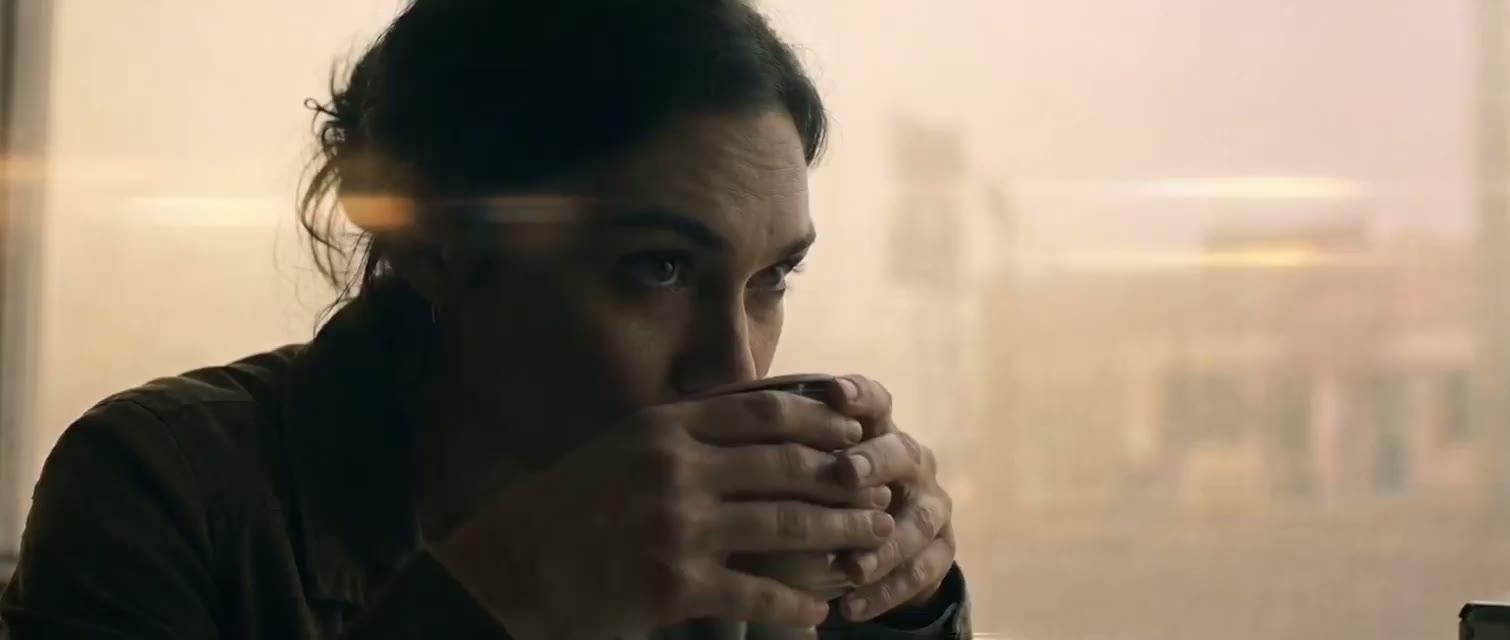
- Same workflows as H3, tuned for stronger prompt following at 768P (shown as 720P in the catalog).
- Use Max when you want a quicker, lower-cost pass before a 4K H3 finish.
- Ingredients still accept mixed stills, video, and audio—cite them the same way in the prompt.
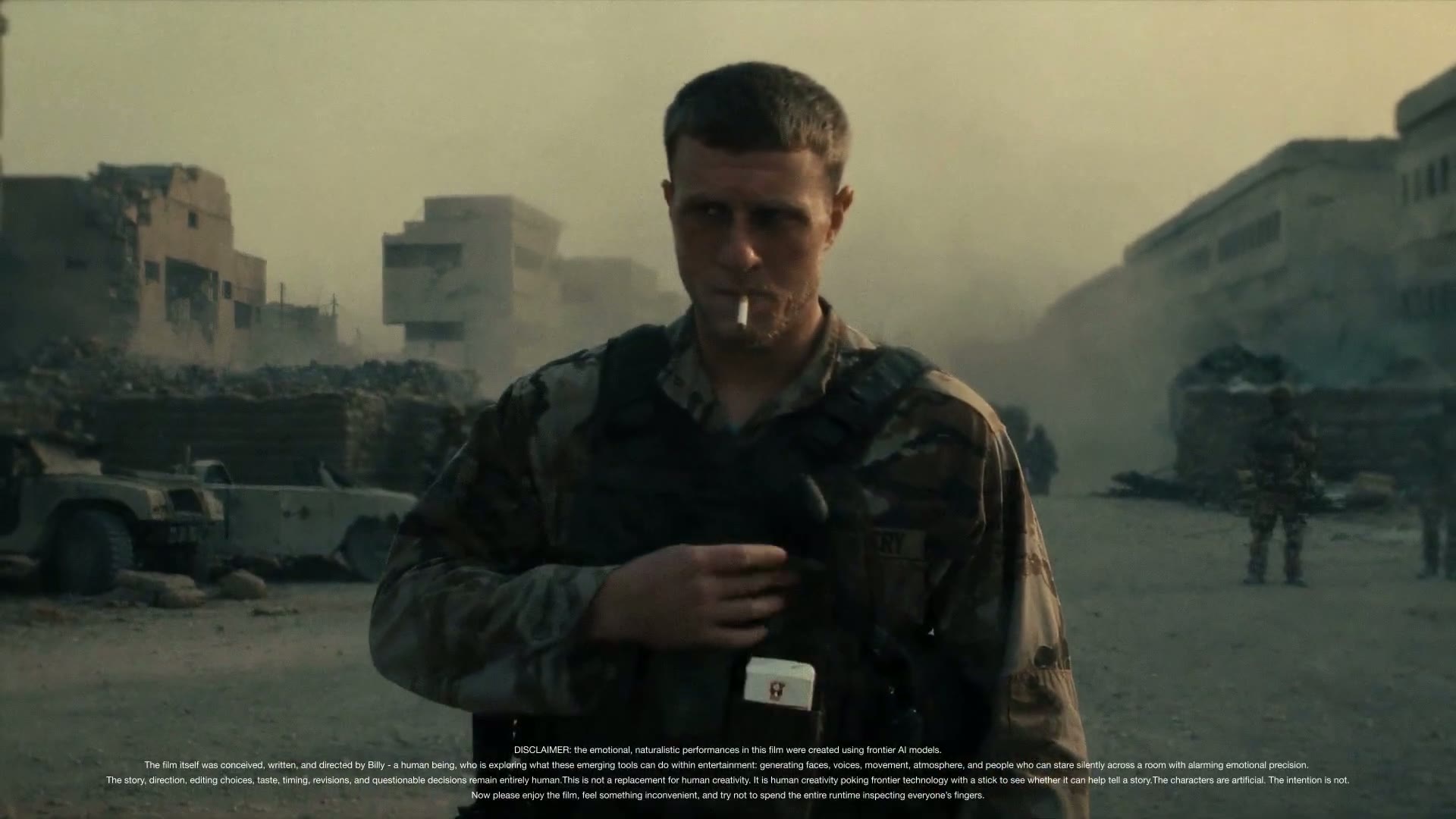
- OpenAI’s precision text-to-image path for detailed stills and typography-heavy frames.
- Quality defaults to high. Lower it in the form if you want a cheaper, faster pass. Confirm the live credit estimate.
- Instruction-scoped edits that keep subject and composition across rounds.
- Optional mask plus up to 16 reference images. Use this when you are changing an existing photo, not starting from a blank prompt.


- Faithful photo enlargement up to 4× with High Fidelity V3 and PNG as the defaults.
- Turn on Apply to each photo to run the same settings across a batch (same pattern as Seedream 5.0 Editing).


- Burn professional captions onto a clip. Choose a preset, language, and optional translation.
- Billed by input minute (one-minute minimum). Higher than 1080p input and translation add cost—check the estimate first.
- Add named alternate appearances on the same Element (wardrobe, injury, age)—not a second character. Use + Add Variation, then photos from upload, library, or image-to-image.
- Mention them as @Name_Variation (for example @Lucy_Bloody). Intent and the workbench pack that variation’s photos, not the main gallery. Your explicit @ choice wins over auto-pick.
- Character Elements accept a voice clip (mp3/wav) with play, trim, and expand-to-preview—same add/remove pattern as photo slots.
Seedance 2.0 & 2.5 — 4K video + longer clips
Seedance 2.0 now defaults to native 4K on text, image, and reference-to-video. Seedance 2.5 adds up to 30-second clips at 480p, 720p, or 1080p with stronger multimodal reference support. Check the live credit estimate before you generate.
- Native 4K is now the default for cinematic text-to-video with optional native audio.
- Still choose 480p, 720p, or 1080p when you want a quicker or lower-cost pass.
- Duration auto or 4–15 seconds; confirm the live credit estimate before you run.
- Animate a start frame at 4K by default; optional end frame for controlled transitions.
- Same resolution menu as text-to-video—drop to 720p or 1080p anytime.
- Multi-reference generation (images, optional video and audio) now defaults to 4K.
- Studio element slots work the same as before; check the credit estimate when using video references.
- Generate 4–30 second clips at 480p, 720p, or 1080p from a text prompt.
- Optional native audio; confirm the live credit estimate before you run.
- Animate a start frame (optional end frame) with longer duration than 2.0—up to 30 seconds.
- 480p, 720p, or 1080p output; great for social cuts and storyboard motion tests.
- Multi-image, video, and audio references in one prompt—cite them as Image 1, Video 1, Audio 1.
- Reference video inputs use BytePlus’s lower token rate; check credits when mixing refs.
Mureka V9 & MiniMax H3 Reference Video Edit
Mureka Music now runs on V9 for fuller songs with clearer vocals and stronger style control. MiniMax H3 Reference Video Edit brings 2K video edits from a primary clip plus optional image, video, and audio references—cite them in your prompt as Image 1, Video 1, Audio 1.
- Generate full songs with singing and lyrics—or switch to instrumental when you only need a bed.
- Describe genre, tempo, and mood in plain language; use style suggestions or Enhance to sharpen the brief.
- Optional Reference mode: inspire a new track from a 30-second clip (upload, library, or YouTube).
- Remix mode restyles an existing track while keeping its overall shape—same form, no tool switch.
- Edit a source clip with a natural-language prompt while keeping motion from Video 1.
- Add reference stills (Image 1, Image 2…) to lock characters or style; first five images are free.
- Optional extra reference videos and free audio refs live under Advanced Settings—cite them as Video 2, Audio 1, and so on.
- Output 5–15 seconds at 768P or 2K; check the live credit estimate before you generate.
Seedream 5.0 Pro, LTX Reframe & canvas → prompt
ByteDance Seedream 5.0 Pro replaces Seedream 4.5 for image generation and editing. Video reframe moves to LTX 2.3 with longer clips and sharper outputs. On the freeform canvas, drag a card straight into the prompt to attach it as a reference.
- Flagship ByteDance image generation with deeper prompt understanding and precise control over dense layouts.
- Stronger native text in the image across many languages—useful for posters, UI mockups, and branded frames.
- Replaces Seedream 4.5 in the same Text → Image workflows in Create and Multimodal Studio.
- Pricing scales with output size—check the live credit estimate before you generate.
- Make region-precise changes while keeping the rest of the frame intact.
- Ground edits with up to 10 reference images for style or identity consistency.
- Same editing path as before—now on Seedream 5.0 Pro.


- Change a video’s aspect ratio without destructive cropping—recenters the shot and fills newly exposed areas.
- Supports clips up to 60 seconds with 720p or 1080p output.
- Replaces the previous Luma Ray-2 reframe path with lower per-second cost—confirm the estimate before you run.
- On the freeform canvas, drag a card onto the prompt box to attach it as a reference—no download or re-upload.
- Works for images and videos already on your canvas so you can iterate faster with Intent and your specialists.
Business & Enterprise: company SSO and richer audit logs
Business and Enterprise teams can sign in with company SAML (Okta, Microsoft Entra, or Google Workspace) and auto-join their org from a verified email domain. Org audit logs now include search, filters, and media previews of generated content.
- Sign in with your company identity provider via SAML—Okta, Microsoft Entra ID, or Google Workspace.
- After login, people with a verified company email domain can auto-join the linked organization.
- Available for Business and Enterprise customers; contact us if your IT team needs setup.
- Search and filter org activity so admins can find generations and actions faster.
- Preview images, video, and audio inline—plus copy prompts when you need to review what ran.
Seed Audio 1.0 — natural voiceover in Create & Studio
Generate natural speech and audio scenes from text. Pick a preset voice, fine-tune speed, volume, and pitch, and optionally guide the result with reference audio or an image.
- Turn a script into natural speech—pick a preset voice and generate without leaving Create or Multimodal Studio.
- Optionally attach up to three short audio references, or one image, to steer tone and character (audio and image are alternatives, not both at once).
- Fine-tune speed, volume, and pitch when the default take needs a nudge.
- Credit estimates follow generated length—confirm the live estimate before you run.
- When a specialist is generating from a form, Studio shows a clearer busy state so you know work is still running.
- Keep directing other threads while that generation finishes in the background.
Consistency Meets Concurrency
Your AI team now shares one brain. Every project now has a shared creative context that keeps every creative agent aligned with your vision—and for the first time, your specialists can work on different tasks at the same time.
No more repeating yourself. No more losing context. No more waiting for one task before starting the next.
Creative work isn’t linear anymore. The best teams have specialists sharing the same vision while working in parallel. Now your AI team works the same way.
- Whether you’re designing a campaign, producing a film, or building a brand, your entire Project Squad reads the same creative brief.
- Define your project overview, visual language, brand guidelines, rules, references, and knowledge base in the Context tab.
- Turn on Use context when you’re ready—every specialist starts from the same understanding of the project.
- Instead of re-explaining your vision in every conversation, you define it once.
- Create specialists for whatever your project needs—Brand Strategist, Screenwriter, Copywriter, Storyboard Artist, Motion Designer, Post-production, and more.
- Each specialist has its own expertise, personality, and conversation—but they all share the same project context.
- Open Project Squad on the right to switch threads; Prologue Intent stays your main assistant beside the team.
- Add specialists with New Creative Specialist, or manage the same team from Context → Review Squad.
- This is where Project Squad becomes different: specialists can work on different tasks at the same time.
- While you’re refining a storyboard with one specialist, another can write social copy, review visual consistency, or create video sequences.
- Switch agents anytime—work keeps running in the background; a spinner shows when a specialist is busy and a blue dot when there’s unread activity.
- Instead of one long conversation, your creative work becomes concurrent.
- Prologue Intent stays aware of what your specialists are doing.
- Need a quick update? Ask: “What has the team been working on?”
- Intent summarizes the latest work across your specialists without you opening every thread.
- Stay oriented on the whole project from one conversation—then jump into any specialist when you want to go deeper.
- Creative work isn’t linear anymore.
- The best teams don’t have one person doing everything—they have specialists sharing the same vision while working in parallel.
- Shared context keeps everyone aligned; concurrency lets the work move faster.
- Now your AI team works the same way as your creative team.
Prologue Vibe Create — Direct your entire creative production
Meet Prologue Vibe Create—our most advanced AI studio yet. It brings leading image, video, audio, music, and language models into one connected canvas, coordinated by Prologue Intent so every project carries the same creative context from first idea to finished shots.
Start with a project kind—Filmmaking or Branding—then drop in a script, creative brief, PDF, or reference assets. Prologue analyzes the material, identifies the characters, locations, props, products, and brand assets that matter, and turns them into reusable creative elements.
From there, Vibe Create builds the production workflow for you: a shot-by-shot storyboard, production-ready video prompts, and batch generation across scenes, shots, and takes.
Instead of running every model by hand, you direct the whole production from one place.
- Pick a project kind—Filmmaking or Branding—and Vibe Create opens an infinite canvas tuned to that workflow, with five production stages laid out up top: Script → Elements → Storyboard → Frames → Video.
- Build the whole story on one board. Shots and scenes live on the canvas, the scene strip helps you organize takes and sequences, and the history filmstrip keeps every generation within reach.
- For branding projects, the same canvas becomes a living brand system—logos, palettes, typography, products, and campaign assets become reusable cards your team can carry across every export.
- Access leading image, video, audio, music, and language models from a single workspace without losing prompts, attachments, references, or project context.
- Choose a curated look—or upload your own reference images—and Prologue captures the mood, palette, lighting, composition, and camera language for the whole project.
- Enable Style Injection and that visual language is automatically woven into storyboard, image, and video prompts, so the look stays consistent without rewriting every prompt by hand.
- Save your own looks under My styles and reuse them across films, campaigns, and brand systems to keep every output visually aligned.
- Write directly in the Script tab, upload a PDF or text file, or drop in a branding brief, and Prologue uses it as the backbone of the project.
- Script Intelligence identifies the people, places, objects, products, and brand assets that define the work, then prepares the foundation for every step that follows.
- Ask Prologue Intent to keep building from there—analyze a frame, suggest the right model, refine a style, or kick off the next stage without leaving the conversation.
- Every important creative asset becomes a reusable Element Card: characters, locations, props, products, logos, colors, typography, and brand materials.
- Generate elements with a text-to-image model, choose the right model from a ranked picker, or upload your own reference asset.
- Reference any element with @Name in a prompt to keep faces, places, products, and brand assets consistent across shots, takes, and exports.
- Turn a script into a production-ready storyboard. Every shot gets framing, composition, mood, and a self-contained image prompt ready to generate.
- Review and edit prompts directly on the shot cards. Your changes save to the project, so you can regenerate individual frames without losing the story order.
- Generate storyboard frames with your preferred text-to-image model while respecting the project's visual language and creative elements.
- Once your storyboard is approved, Prologue writes detailed video prompts for every shot, including camera angle, framing, movement, lens, key objects, characters, locations, performance, dialogue, and SFX.
- Each shot receives a structured multi-prompt beat sequence ready to run in the video model of your choice, so you no longer have to write motion prompts from scratch.
- Video prompts pull from your elements and storyboard frames, keeping motion, continuity, and visual style tied to the look you already approved.
- Generate full scenes, sequences, or selected shots in one batch instead of clicking through one generation at a time.
- Prologue fans the work out across your scenes and shots, helping you move from storyboard frames to video takes faster while keeping everything organized on the canvas.
- A jobs tray tracks every generation in flight—queued, running, done, or failed—and you are only charged for jobs that succeed.
- New to the canvas? Guided tours walk you through the six key zones—chat, form panel, elements, canvas, scene strip, and history filmstrip—so you can start producing in minutes.
- Tours adapt to your project kind, highlighting the filmmaking or branding workflow that matches what you are building.
- Replay a tour anytime to discover new steps like Script Intelligence, AI Storyboarding, Production-Ready Video Prompts, and Batch Production.
Make music in Prologue — songs, scores & edits
You can now create full songs, film scores, and remixes without leaving your project. Describe what you want in plain language, upload a track or paste a YouTube link, or just ask Prologue Intent in chat—it sets up the form for you and you choose when to generate.
- Create a complete song with singing and lyrics—or flip to instrumental if you just need background music.
- Describe the vibe in everyday words: fast or slow, genre, which instruments you hear. Tap style suggestions for ideas, or use Enhance to polish your description.
- Stuck on lyrics? Generate a first draft from your style notes, tweak it, then hit generate.
- Works in Create and in Multimodal Studio, so your music lives alongside your script and visuals in one project.
- Upload a video or still—or pick one from your library—and describe the feeling you want: rainy noir, tense strings, soft ambient pads, and so on.
- Prologue reads the visuals and writes music that matches. Handy for storyboard frames, animatics, and scene previews.
- You can also ask in chat: “Score this frame” or “I need a cinematic soundscape”—Intent sets up the form and you run it when ready.
- Score a shot or take straight from your canvas without switching tools.
- Have a song you love the feel of? Upload it, pick from your library, or paste a YouTube link—then select a 30-second clip on the waveform to inspire something new.
- Remix mode lets you restyle an existing track with a fresh prompt while keeping its overall shape.
- No need to download from YouTube first—paste the link and Prologue pulls the audio for you.
- In chat, Intent can ask whether you want vocals or instrumental, suggest a title and style, and open the form ready to go.
- Change one section: drag a box on the waveform, write new lyrics (or describe new music for that bit), and keep everything else as-is.
- Extend a song by adding new material at the beginning or end—vocals or instrumental.
- Split a track into separate files—vocals, drums, guitar, piano, and more—downloaded as a ZIP for remixing or editing elsewhere.
- Upload a file, pick from your library, or paste a YouTube link—the same simple picker works across all these tools.
- Tell Intent what you want—a song, a film score, a remix—and it fills in the form (style, title, lyrics, which clip to use).
- You always choose what happens next: generate right away, review the form first, fill it in yourself, or skip it.
- Intent pulls from your shots, library, and attachments so links stay valid and you are not hunting for files.
- Type @CharacterName or @Location to bring your project’s people and places into the conversation—music stays aligned with your story.
- Planning in Brainstorm mode? Tap Add to script or Switch to create when you are ready to move from ideas to generation.
Visual styles, storyboard frames & smarter Intent
This release is about keeping your project visually consistent and moving faster from idea to frames. Pick a look for the whole project, turn your script into a still-frame shot list, draft scripts straight from chat, preview prompts before you spend credits, and lean on Intent for model picks and media answers—all inside Multimodal Studio.
- When you create a project, choose a curated visual style—or upload your own reference images—so every generation shares the same mood, palette, and camera language.
- Browse styles by category (cinematic, commercial, illustration, and more) or save your own under My styles for reuse across projects.
- Turn style injection on in project setup and Prologue weaves that look into image, video, and storyboard prompts automatically—you stay in control of the brief without rewriting every prompt by hand.
- Works alongside project templates (Filmmaking, Branding, Character & Identity) so structure and look are set before your first generation.
- From your script, Prologue builds a shot-by-shot still frame plan—each shot gets framing, mood, and a self-contained image prompt ready to generate.
- Open the image shot list view to review scenes, check off shots as you go, and generate storyboard frames with your choice of text-to-image model.
- Your shot list saves to the project so you can come back, refresh prompts, or regenerate individual frames without losing the story order.
- Pairs with the existing video shot list: plan motion beats for video, still frames for boards—same script, two views of the work.
- Ask Prologue Intent to draft or update your script directly from the conversation—no copy-paste between chat and the Script tab.
- Choose the same layout you use for uploads: one flowing column (scenario) or split video vs audio columns (commercial-style).
- Pick whether new text replaces the script or appends to what is already there, so you can iterate safely.
- Intent understands when you are asking to write, revise, or extend the script and confirms before it changes your document.
- Use the preview control (scan icon) on a prompt or script selection to see a quick still image of how the words will read visually—before you run a full generation.
- Helpful when tuning a single beat, a shot description, or a long passage: preview the selection, adjust the text, preview again.
- Respects your project visual style when style injection is on, so the preview reflects the look you chose for the project.
- Credit cost is shown up front; previews use a fast image model so you can iterate cheaply.
- Use Brainstorm in the chat header to plan stories, scripts, and direction without spending credits on media—then switch to Create when you are ready to generate images, video, or audio on the canvas.
- When Intent sees you are ready to execute, it offers a Switch to Create button right in the reply so you do not have to hunt for the toggle.
- Ask which model to use—Intent recommends a top pick and alternatives based on your task (image, video, audio) and what is available on your plan.
- Attach images or video and ask what is in frame; Intent analyzes the media and answers in plain language without you leaving the chat.
- Intent reads your project context—scenes, shots, elements, and takes—so answers and generations stay tied to the work in front of you.
- Multi-step workflows (detect elements, compose a generation, check credits) run behind the scenes so one conversation can cover research, planning, and execution.
Share personal & business projects
Bring collaborators into the same canvas without duplicating work. Personal library projects support email invites and a clear guest experience; organization projects keep the same member and role model you use for Business teams.
- From the canvas toolbar, use Share project to copy a link to the current view or send an email invite.
- Invited collaborators can open the project, follow along, and leave comments; the project appears in their Create sidebar as shared with them.
- Credits and generations stay on the project owner’s account—guests see guidance if they try to run paid generation from a shared personal project.
- Only the owner can rename, delete, or upload into the personal project; sharing is read-and-comment first for guests.
- Invite people to an org project with viewer or editor access from the project share dialog.
- If someone is not in your organization yet, they get the same organization email invite flow as under Members.
- Once they are a member, the project shows in their workspace alongside other org work.
Project kinds & guided templates in Create
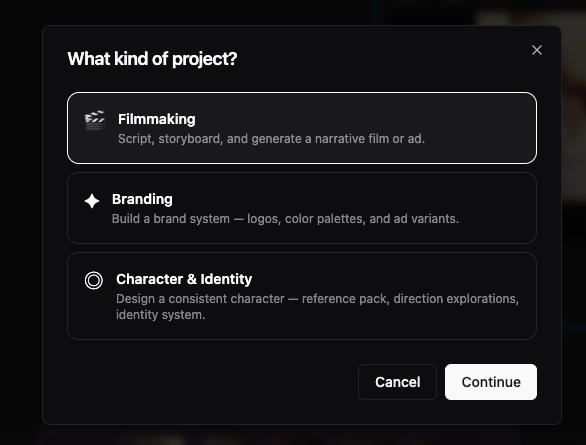
New projects start from a clear path: pick a project kind (Filmmaking, Branding, or Character & Identity), then a template. Each template opens with starter storyboard cards, seeded library assets where we ship examples, and a tailored first message from Prologue Intent—so you spend less time setting up structure and more time directing the work.
Pick a path before you generate
When you start something new in Create, you first choose a project kind and then a template under it. That choice is not just a label: it loads a guided storyboard, starter cards (images, steps, or upload slots where relevant), and a first message from Prologue Intent written for that workflow.
Three kinds today
- Filmmaking — default path for ads, shorts, and narrative work (script-first storyboard, shots, and Multimodal Studio tooling).
- Branding — Brand Identity for logos, palettes, and variants, or Logo Reveal for a cinematic reveal brief with example frames and a sample clip on the canvas.
- Character & Identity — Character Creator for sheets, props, and step-by-step packs, or Mini Me for stylised likeness and figure workflows from reference portraits.
What happens when the project opens
- Starter rows are added to your project library so shots on the filmstrip already point at real assets where we ship examples.
- Cards on the canvas explain how that template works (steps, "how it works" panels, and upload slots when you should drop your own references).
- The agent opens with context for that template — so you can describe goals in plain language or point at a shot/take and stay inside the same flow.
Same studio underneath
Kinds and templates do not lock you out of models: you still have the same generators, canvas, and timeline patterns. The difference is starting context— fewer blank-canvas moments, and Intent tuned to how that project is meant to run.
Quick glossary
- Project kind
- High-level discipline: Filmmaking, Branding, or Character & Identity.
- Template
- A preset under that kind (each with its own starter layout and agent copy).
- Starter asset
- A seeded card or library item we place for you so the filmstrip and canvas are never empty on day one.
Kling's Native 4K
Professional-grade 4K straight out of the model—no separate upscale pass. Use it from Create or Multimodal Studio alongside the same element and reference workflows as Kling O3 Pro.
- Text → Video (Text→Videos+Animations): true 4K from your prompt; flat per-second 4K pricing—confirm the live credit estimate before you generate.
- Image → Video: animate a start frame at full 4K with the same duration and motion controls you already use on Kling O3.
- Reference → Video (Image → Video): multi-reference consistency at 4K with the same @Image1-style prompts as O3 reference mode—final delivery resolution without a second upscale step.
Credit: Simon Meyer
Beta: Multimodal Studio Orchestrators
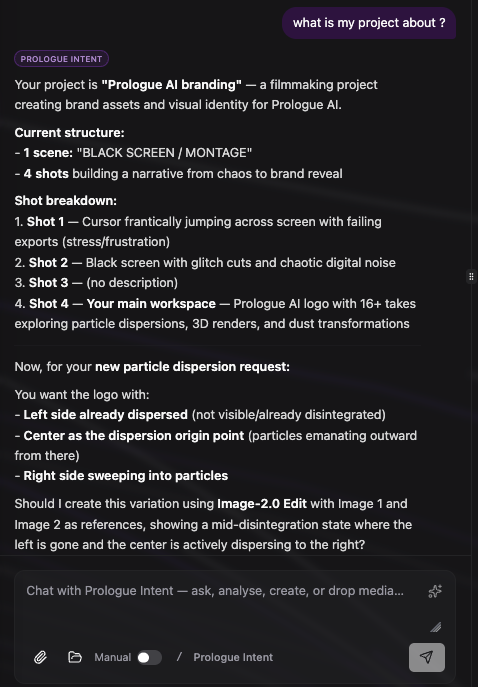
We are releasing Orchestrators inside Multimodal Studio. Orchestrators sit above individual models and coordinate image, video, audio, and text within a single workflow. One conversation understands your project in context and carries intent across every step. They let you analyse references, generate new work, transform existing assets, and coordinate across shots and scenes—without switching tools.
What's new
- Until now, each model behaved like a separate action.
- Orchestrators introduce a higher layer: one thread that spans all media and all stages of production.
- This shifts the workflow from using tools to directing outcomes.
Analyse and Create, in one place
- The same Studio chat drives both thinking and execution.
- Analyse: upload images, video, or audio. Extract intent, structure, and direction.
- Create: generate, transform, and iterate directly from that same context.
- No separation between planning and making.
Control modes
- You define how work gets executed.
- Manual (default): Orchestrators prepare generations. You review and trigger each run.
- Assisted (beta): Orchestrators run generations directly from your instructions. Faster iteration with less friction.
- Switch anytime.
Why beta
- We are releasing this early to refine the following with real production workflows:
- quality
- speed
- cost
Timeline Export, Share & Audio Mix
The Multimodal Studio timeline now has a proper Export button — one place to download your final video, export a mixed audio stem, share to social, or hand off a full NLE package to Premiere Pro, Final Cut Pro, or Pro Tools.
- Single Export button replaces the separate Download and Share icons in the timeline toolbar.
- Video tab: download your assembled timeline as an MP4 (1920×1080, H.264) — rendered entirely in your browser via WebCodecs, no upload required. Live progress bar shows encoding percentage.
- Audio tab: download a stereo WAV audio mix (16-bit, 48 kHz) of all non-muted audio tracks with your volume and fade settings applied — no video render needed, much faster.
- Timeline tab: export a full NLE package as a ZIP — choose Adobe Premiere Pro (XMEML .xml), Final Cut Pro (FCPXML 1.9 .fcpxml), or Pro Tools (CMX 3600 .edl). The ZIP contains the project file plus all referenced video and audio media with local relative paths, so your NLE imports cleanly without re-linking.
- Share section lives below the export tabs — works like Library sharing: renders, uploads, and creates a deep link.
- Post directly to X / Twitter, Facebook, LinkedIn, or Reddit; the share link is created on first click and cached so follow-up social posts skip the render.
- Copy link button copies the deep URL to your clipboard.
- A persistent toast keeps you informed while the render and upload run — stays until you dismiss it or the process finishes.
- Resizable preview/timeline split: drag the handle between the player and the tracks to adjust how much vertical space each section gets. Your preferred split is remembered across sessions.
- Undo (⌘Z / Ctrl+Z) for timeline edits — razor cuts, trims, and clip moves are all undoable up to 40 steps.
- Smooth small-step clip dragging: clips now nudge by 1 frame when the drag delta is below a full frame, removing the 'snap to whole segment' limitation.
- Video and audio column headers now stretch to fill the full height of their track rows.
ByteDance Seedance 2.0 — for all clients.
We added Seedance 2.0 across text-to-video, image-to-video, and reference-to-video (multi-image, optional video and audio guides). Expect cinematic motion, optional native audio, and the same O3-style element workflow for reference mode in Studio and the image-to-video playground.
- Generate from prompt only—resolution 480p or 720p, duration auto or 4–15 seconds, aspect presets or auto.
- Optional generated audio (same provider cost either way); credit estimates include per-second and token-style usage.
- Animate a start frame; optional end frame for a guided first-to-last transition.
- Combine up to nine reference images plus optional short reference videos and optional audio—refer to them as @Image1, @Video1, @Audio1 in the prompt.
- Studio passes project elements into the same flow as Kling O3 reference; when you attach reference videos, the per-second portion of pricing is discounted on the provider side—check the estimate before you run.
Multimodal Studio — the biggest Prologue drop in a year
Meet Multimodal Studio: one place where your script, storyboard, canvas, and every major generator finally work as one pipeline. Bring a draft, get structured shots with timed prompts, understand what is in frame, and launch quick actions without losing context. This is the workflow we have been building toward: pre-production through generation, connected.
- Switch between image, video, audio, and 3D models inside the same Studio—no more hopping between separate playgrounds with lost prompts and attachments.
- Canvas, filmstrip, script ingest, shot list, and cross-model generation without losing context.
- Core flows are built for day-to-day production—canvas, filmstrip, script ingest, and shot list. Share feedback anytime and we will prioritize what helps your team most.
- Scene detection finds the important pieces in a frame—people, products, environment—so you edit by intent, not by guessing the whole prompt.
- You get a readable scene description; pair it with per-object actions such as replace, remove, continuity into the next shot, reframe, extend, or upscale.
- Paint a mask, describe the fix (inpaint), queue several object-level tweaks, then apply them together in one pass into your chosen model.
- From any storyboard or history card, open quick actions: cast (character, location, prop), stage action, scene transitions, cutaways, production design, shot variations, time shift, narrative map, conversation coverage, generate world, camera angles, or jump straight to script upload.
- Scenes and shots live in a filmstrip so you always see where you are in the story.
- Reorder scenes, add shots, and seed a shot from an upload, a library pick, or something you placed on the canvas.
- Assign a generation to the active shot; when a version wins, promote it to a named take and keep iterating without losing the runner-ups.
- Undo recent storyboard edits when you want to rewind an experiment.
- Upload a screenplay or treatment (PDF or text); we parse it and spin up scenes, shots, and starter elements in your project (credit-based, like other AI steps).
- Preview the Fountain-style result before you commit; pick a single flowing column (scenario) or split video vs audio columns (commercial-style), whichever matches how you work.
- Heavy files upload through project storage first so you are not stuck under generic web upload limits.
- Characters, locations, and key props surface as elements you can cast into later generations so design stays consistent shot to shot.
- When you need the same character, location, or prop to read clearly across many shots, you define it once as an element: name it, choose a type (character, scene, costume, prop, and more), and attach reference images—from uploads, generations, or your library—so the model always has a shared visual anchor instead of guessing from scratch every time.
- Build richer bibles with multi-angle references (turnarounds), optional voice for characters, and—for locations—paths toward world-style assets so environments feel continuous, not one-off sets.
- Save elements to the project and cast them from the canvas and script workflow; edits stay centralized, so when you refine an element, everything that depends on it can move forward together.
- Open a structured shot list: each shot shows a master video prompt plus a temporal multi-prompt sequence—timestamped beats so motion, performance, and dialogue stay aligned.
- Copy one beat or the entire breakdown for hand-off to an editor or another tool.
- Run suggest edits on the whole script or only a highlighted passage; AI proposals appear in the editor with credits shown up front.
- Review suggestions in context, then regenerate frames or video when you are happy with the words.
O3 Pro models & Stems Divide
Full O3 Pro lineup for text-to-video, image-to-video, reference-to-video, edit, and next-shot workflows and New stem separation with up to 6 outputs (Stems Divide)
- Cinematic text-to-video with fluid motion
- Native audio generation (Chinese and English)
- Professional-grade outputs with precise motion control
- Top-tier image-to-video with cinematic visuals
- Fluid motion and native audio generation
- Flexible duration and resolution options
- Transform images into video with multi-reference support
- Consistent character identity and object details
- Complex scenes with multiple reference elements
- Advanced video editing with natural language
- Character replacement while preserving motion
- Scene and environment transformations
- Multi-reference editing with up to 4 elements
- Sequential shot generation with consistent motion style
- Cinematic style preservation across new scenes
- Multi-shot narratives with consistent visual language
- Character continuity with up to 4 tracked references
- Separate a full mix into up to 6 stems: vocals, drums, bass, other, guitar, piano
- Choose model (e.g. htdemucs_6s) and output format (WAV/MP3)
- Charged per second of audio processed
Seedance 1.5 Pro (T2V & I2V)
Upgraded Seedance models to v1.5 with native audio generation, longer durations (4–12 seconds), and flexible resolution (480p, 720p, 1080p).
- High-quality video from text with optional AI-generated audio
- Durations from 4 to 12 seconds
- 480p, 720p, or 1080p output
- Animate images with optional AI-generated audio
- Optional end frame for start-to-end transitions
- 4–12 second clips at 480p, 720p, or 1080p
Business plan now live
The Business plan is now available with collaboration features, editor access management, and more.
- Collaboration features and editor access management
- Project comments and library links
- Team members can request editor access; admins approve or reject
- Comment on projects at the project level
- Viewers can create comments and resolve threads
- Attach library items directly to comments for clearer feedback
- Team members can request editor access on projects
- Admins can approve or reject requests from the project
Higher upload limits & long-running jobs
Larger file uploads and clearer handling for slow jobs like 4K video and 3D.
- Video uploads up to 500 MB
- Audio uploads up to 200 MB
- Other limits increased for smoother workflows
- Get a request ID immediately for slow jobs (e.g. 4K video, 3D)
- Check job status until completion
- Credits are only deducted when the job succeeds — no charge on failure
StemGen Audio Separate
New model to separate audio into stems — isolate vocals, drums, bass, and other elements from a single track.
- Separate a full mix into individual stems
- Isolate vocals, drums, bass, and other instruments
- Use stems for remixes, covers, or clean versions
New enhance button logic
The prompt enhance button now works more reliably and fits better into your workflow.
- Improved logic for when and how the enhance button runs
- Clearer feedback and fewer edge cases
- Better integration with prompt boxes across playgrounds
Inpaint Tool Now Available with Image-1.5 Edit
Precisely edit specific areas of your images with our new Inpaint tool. Select the exact regions you want to modify using an intuitive mask editor, then let AI seamlessly regenerate those areas based on your prompt.
- Upload an image to the Image → Image - Edit playground
- Click on the uploaded image to view it in fullscreen
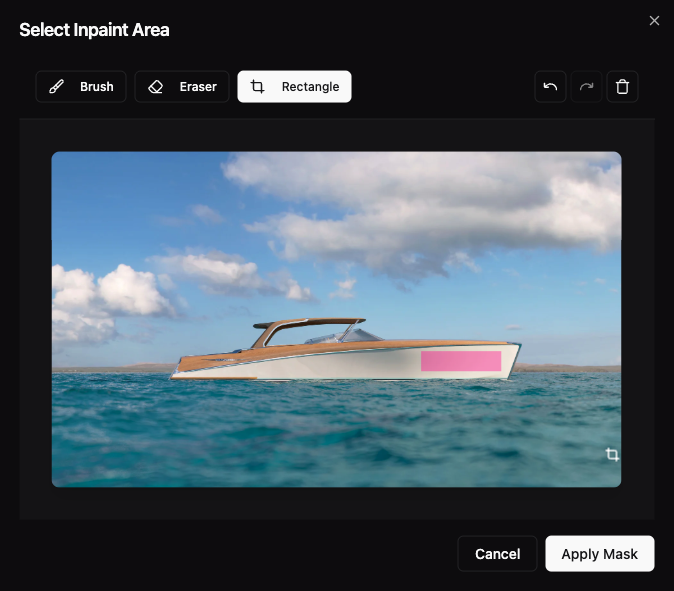
- Click the 'Edit Inpaint Area' button to open the mask editor
- Use the brush tool to paint areas you want to edit, or use the eraser to remove parts of the mask
- Use the rectangle tool for quick rectangular selections
- Adjust brush size and opacity for precise control
- Once your mask is ready, enter a prompt describing what you want in the masked area
- Generate to see AI seamlessly fill the selected regions with your desired content
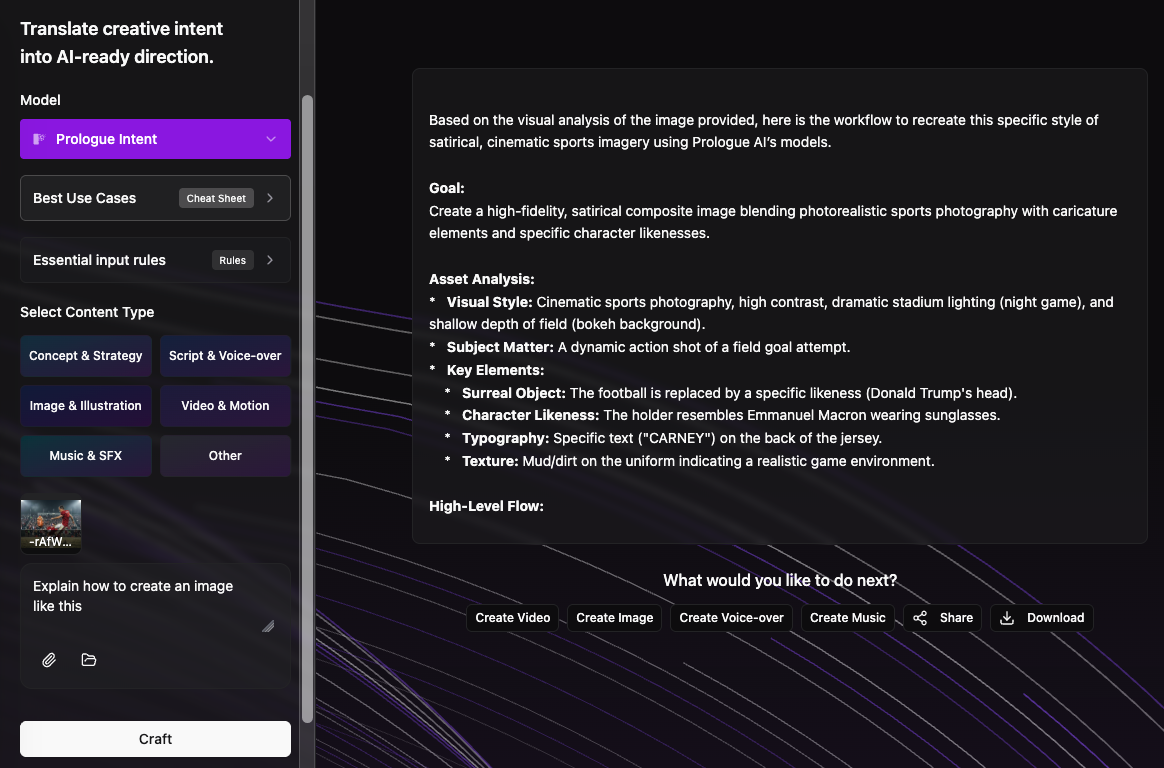
Prologue Intent Now Available
Prologue Intent bridges the gap between human vision and AI execution. It translates your audio, video, and visual references into precise scripts and high-fidelity prompts that capture your true creative intent.
- Translate raw audio, video, and visual references into precise scripts
- Generate high-fidelity prompts that capture your true creative intent
- Turn a mood board and a voice memo into AI-ready creative direction.
- Align image references and sound cues into a single narrative intent.
- Reduce prompt iteration by establishing intent upfront.
- Set creative direction once, then generate consistently.

Full Platform Redesign
We've completed a comprehensive redesign of Prologue AI, bringing you a cleaner interface, improved workflows, and better performance across the platform. We value your feedback and would love to hear your thoughts on the new design.
- Cleaner, more intuitive design
- Improved navigation and user experience
- Better Workflows
GPT-Image-1.5 Edit Available
GPT-Image-1.5 Edit is now available for high-fidelity image editing
- High-fidelity edits with strong prompt adherence
- Choose quality (low / medium / high)
- Choose image size (auto, 1024×1024, 1536×1024, 1024×1536)
- Generate up to 4 images per request
Kling 2.6 Pro Available
Top-tier image-to-video generation with cinematic visuals, fluid motion, and native audio generation. Kling 2.6 Pro delivers professional-grade cinematic outputs with precise motion control. Supports English voice output.
- Top-tier image-to-video with cinematic visuals and fluid motion
- Native audio generation supporting Chinese and English voice output
- Professional-grade cinematic outputs with precise motion control
- 5s or 10s duration options with flexible audio on/off pricing
Seedream 4.5 Models Released
Major expansion of video-to-video utilities, image-to-video capabilities, and video-to-audio tools with professional-grade models.
- Ultra-realistic image generation
- Unified architecture for generation and editing
- Fast 2K image generation in seconds
- 4K support for production workflows
- Multi-reference editing with up to 10 style/identity images
- Confined edits that preserve scene structure
- Character consistency and face cloning
- Production-ready 2K and 4K outputs
- High-quality character animations with motion control
- Product showcase videos with smooth transitions
- Cinematic sequences from still images
- Social media content with optional background music
- Animate headshots with natural motion
- Bring product images to life
- Add environmental effects (trees swaying, water)
- Social clips (portrait → TikTok-style video)
- Add cinematic moves to static art
- Short ad creatives from stills
- Extend short clips with matching motion and context
- Create natural transitions at the tail of a shot
- Finish cuts for social or ad content
- Convert landscape videos to portrait for social media (TikTok, Instagram Reels)
- Transform portrait videos to landscape for YouTube or widescreen displays
- Adapt existing content to different aspect ratios without manual cropping
- Maintain visual quality while changing video format for different platforms
- Sequential shot generation maintaining motion style and camera language
- Cinematic style preservation across new scenes
- Multi-shot narratives with consistent visual language
- Character continuity across generated shots with up to 4 tracked references
- Production extensions with matching cinematic feel
- Social media content: TikTok, Instagram Reels, YouTube Shorts with animated subtitles
- Accessibility: Add captions for hearing-impaired viewers
- Multi-language content: Transcribe videos in 10+ languages automatically
- Professional videos: Add branded subtitles with custom fonts and colors
- Educational content: Create clear, readable subtitles for tutorials
- Marketing videos: Enhance engagement with karaoke-style word highlighting
- Craft background music for video
- Add creative audio layers that follow visuals
- Test different moods/genres on the same clip
- Add realistic foley (footsteps, doors, clinks)
- Create ASMR-like soundscapes
- Replace or enhance audio tracks without recording
O1 Models Available
Create or modify images and videos while maintaining consistency and continuity with our new O1 models.
- Advanced video editing with natural language instructions
- Character replacement while preserving motion
- Scene environment transformations
- Multi-reference editing with up to 4 elements/images
- Transform images into consistent, high-quality video scenes
- Stable character identity and object details
- Multi-reference support for complex scenes
FLUX.2 Models Available
Next-generation Flux models with advanced prompt understanding and professional-grade image generation and editing capabilities.
- High-quality image generation with advanced prompt understanding
- Support for @{field} syntax for referencing uploaded images
- Professional-grade visuals up to 2K
- Enhanced image editing with multi-reference support
- Up to 8 images via API (9MP total limit)
- Color matching with hex codes or image references
- Natural language editing instructions
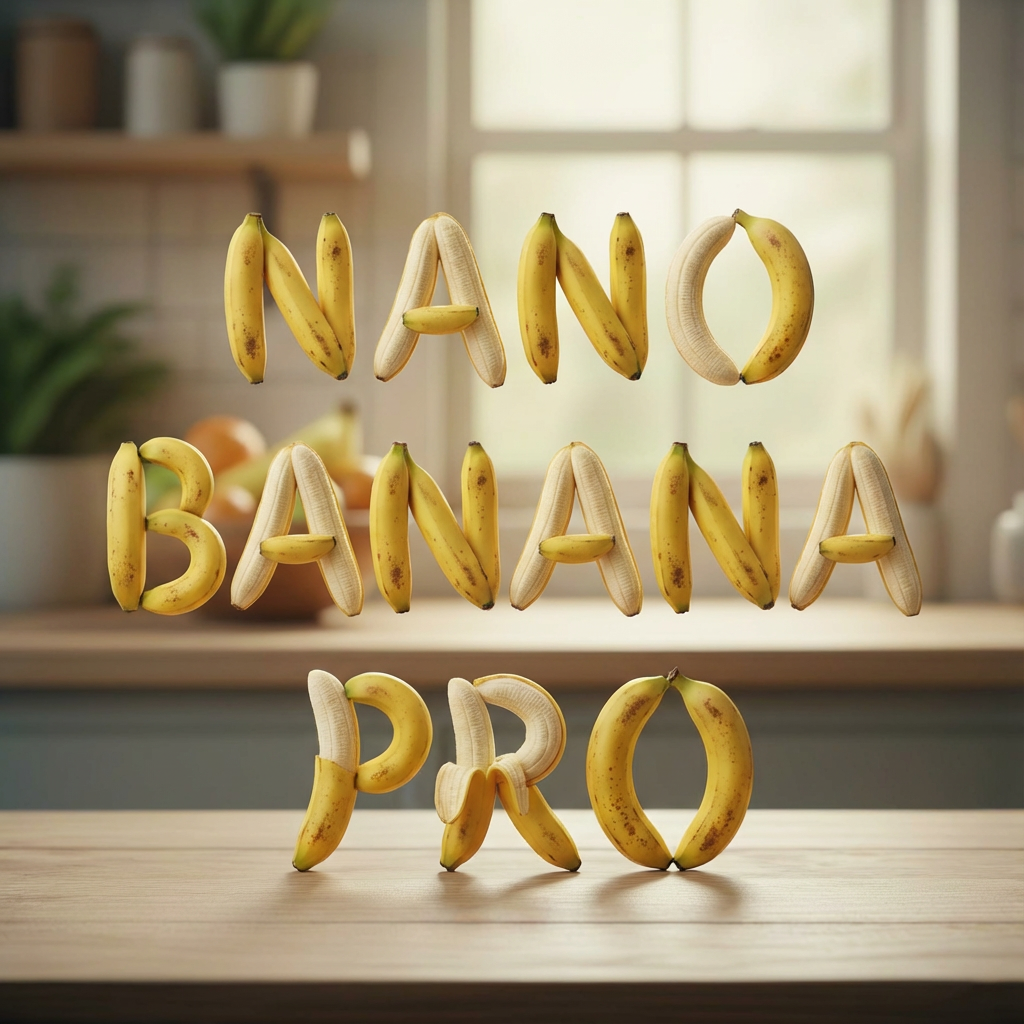
Nano-Banana Pro Model Launch
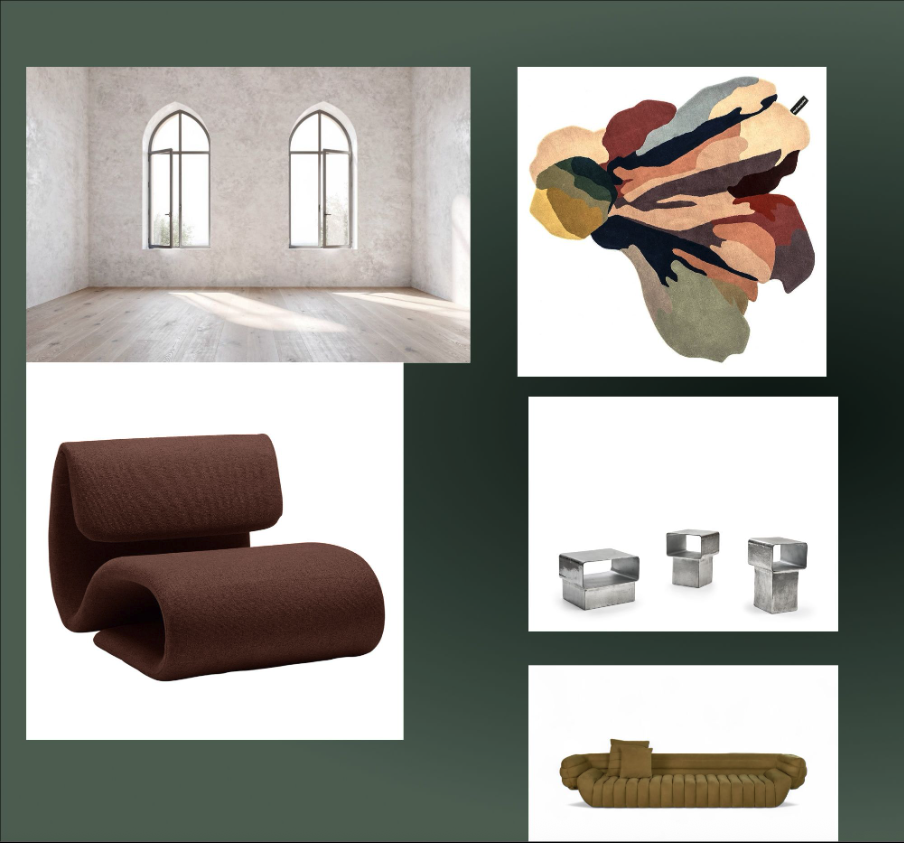
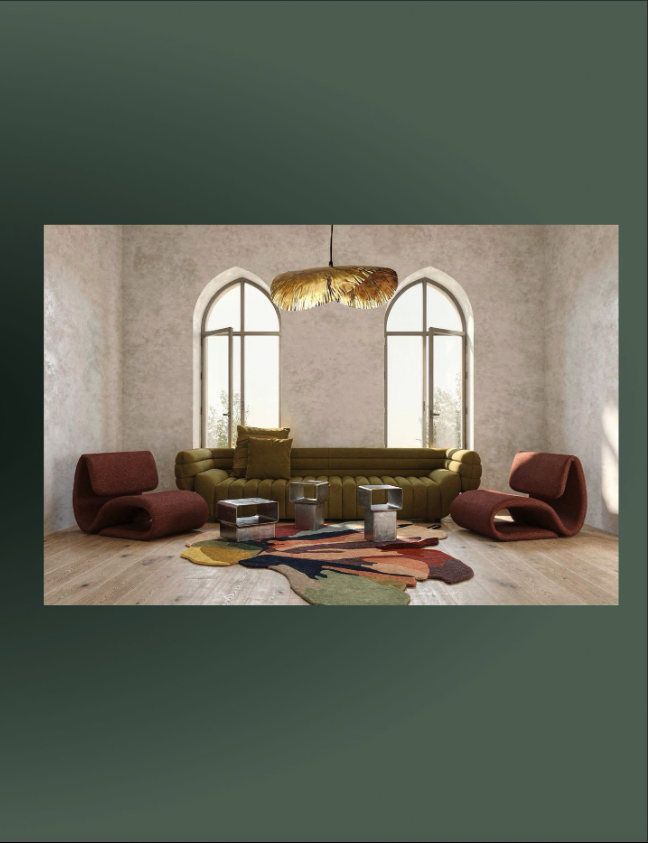
Google's state-of-the-art Nano-Banana Pro model delivers exceptional prompt adherence and sophisticated photo editing capabilities.
- Ultra-realistic image generation with exceptional prompt adherence
- Sophisticated photo editing using conversational text prompts
- Multi-image editing support with up to 10 reference images
- 4K output support for production workflows
- Advanced composition control
- Conversational text prompts for image editing
- Multi-image editing support
- Exceptional prompt adherence
- 4K output support
- Advanced composition control

SAM-3 Object Detection and Segmentation
Advanced 2-layer object detection system using Gemini 3.1 Pro for semantic understanding and SAM-3 for precise pixel-level segmentation.
- Semantic scene understanding with Gemini 3.1 Pro
- Precise image segmentation with SAM-3
- Video segmentation with tracking support
- Multi-concept detection and masking
- Enhanced content editing capabilities
- Great for masks/segmentation/rotoscopy
- Object-centric analysis and shot planning
Veo 3.1 with Cinematic Control and Sound Integration
Google's Veo 3.1 model now supports integrated sound generation and advanced cinematic controls for professional video production.
- Text-to-video with native audio generation
- Cinematic control parameters for precise motion
- Enhanced video quality up to 1080p
- Animate still images with cinematic motion
- Reference-to-video mode for style consistency
- First-last-frame-to-video for controlled sequences
- Enhanced video quality up to 1080p
- Reference-to-video mode for style consistency
- Multi-reference image support
- Controlled video sequences
- First-last-frame-to-video for controlled sequences
- Precise motion control between frames
- Cinematic transitions
Sora 2 Pro Models Available
OpenAI's Sora 2 Pro models now available for high-fidelity text-to-video and image-to-video generation.
- High-quality video generation from text
- 720p and 1080p output support
- Enhanced visual fidelity
- Cinematic quality outputs
- Cinematic motion from still images
- 720p and 1080p output support
- Enhanced visual fidelity
- Professional-grade video generation
- Video remix capabilities
- Transform weather/lighting in videos
- Style transfers and seasonal changes
- Object transformations and mood shifts
Seedream 4 and Seedance Models Integration
ByteDance's latest Seedream 4.0 (T2I/I2I) and Seedance (T2V/I2V) models bring unified generation and editing workflows.
- High-quality video generation from text
- Expressive motion and cinematic quality
- 1080p output support
LipSync Pro Released
Professional lip-sync correction tool for fixing audio-video synchronization issues in video content.
- Fix lip-sync issues in dubbed content
- Animate avatars to match voiceovers
- Match podcast or narration audio to video
20+ New AI Models Added
Major expansion of our model library with 20+ new models across image generation, video creation, and audio processing.
- Creative image generation
- Style-focused outputs
- High-quality image generation
- Professional outputs
- Fast image generation
- Creative workflows
- Style transfer
- Image transformation


- Master-quality video generation
- Professional outputs
- Fast video generation
- Creative video outputs
- Master-quality animation
- Professional motion
- Fast image animation
- Creative motion